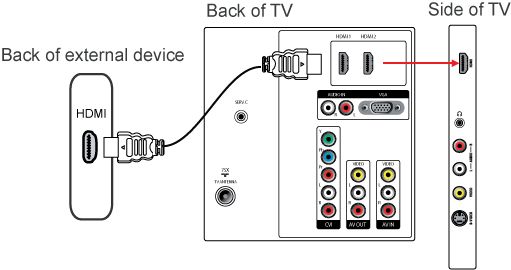
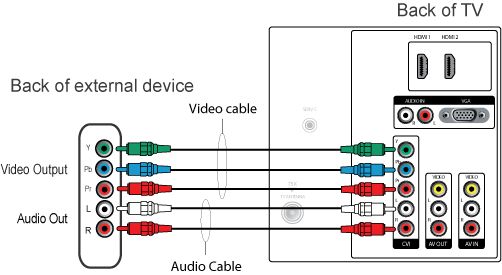
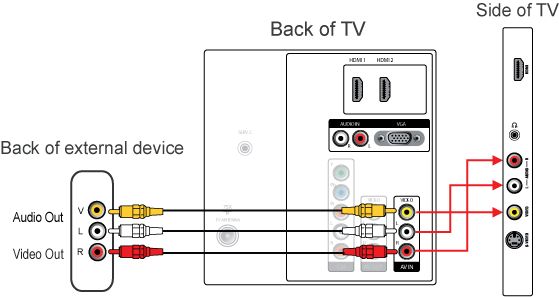
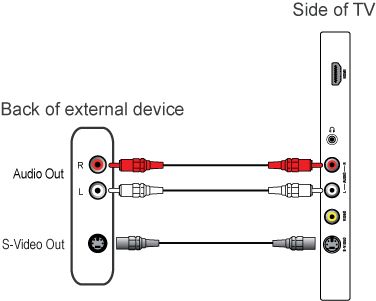
Your TV is equipped with several types of connections. The type of connection you should use to connect a certain device depends on which features of the particular device you want to use.
Note: for the connection of a PC refer to the FAQ on this subject.
The most complete connection available on your TV is the HDMI connection. This connection accepts high definition (HD) signals from external devices, such as a digital Set Top Box, a DVD-player or a game console such as the PS3.
If you want to connect more than one of this kind of external devices, the YPbPr- (or component-, or YUV-) connection is a good choice.
The next best option are the S-Video and CVBS connections, which enable you to connect devices that are not equipped with a HDMI or YPbPr connection, such as a video camera or photo camera.
After connecting several devices you select any one of them with the [Source] button on the remote control of your TV. When you press this button repeatedly you select the external connections alternatively.
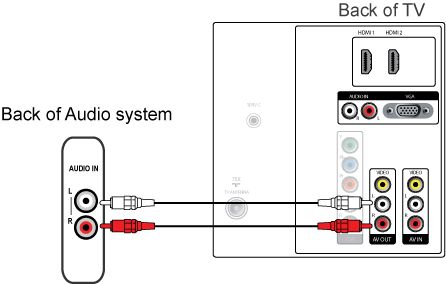
Connect an audio device (home cinema set, amplifier) to the ‘AV OUT L R’ connection at the back of the TV to hear the sound of the TV through your audio system.
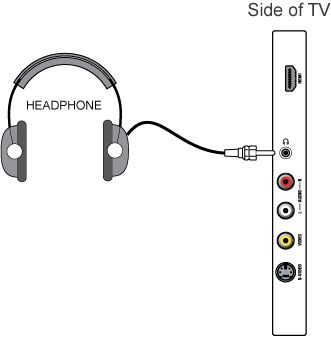
Connect headphones to the side connector and the TV loudspeaker will be automatically muted. Adjust the headphone volume using the volume button on the remote control.